Script Pro · How it works

How Script Pro works, in detail.

The four stages of the engine, the checks that keep long scripts complete, the originality rules, real output, the languages we tested, every feature by plan, and the full FAQ.

The Engine

Under the hood: four stages, one click.

01 · Ingestion

Drop a URL, a transcript, a script you already wrote, or just a topic. The engine pulls the source, reads its structure and maps the retention beats before writing a line. No captions on the source video? Deep Analysis transcribes the audio on your own PC.


BEFORE — hunting the source, cleaning the transcript, mapping beats by hand.

AFTER — one paste, structure and retention beats parsed automatically.

  • YouTube URL
  • Raw transcript paste
  • A script you already wrote
  • A topic idea (Elite)
02 · Master Script

Your selected engine writes an original English master script — hook, body, CTA — in your channel's voice, to the exact length you asked for. On Elite, Ultra Premium (Claude) is unlocked — it runs on your own Claude API key. Channels with a second language also use a DeepSeek key for translation.

Ultra Premium · Claude Your voice, your pacing

BEFORE — a blank page and the hook rewritten five times.

AFTER — a complete hook, body and CTA master script on the first pass.

03 · Language Sync

Turns the master script into a voice-over-ready script in your target language. Numbers are written the way they're spoken — in the voice-over and in the English script. Every scene keeps its English line too.


BEFORE — hiring a translator, then re-timing everything by hand.

AFTER — a native script and a bilingual storyboard out of the same run.

04 · Visual Prompts

A prompt for every scene, written for the generator you actually use — VEO, Seedance, Nano Banana or GPT Image. Paste the batch file in and go. Your characters look the same in every one — see it.


BEFORE — writing every image and B-roll prompt shot by shot.

AFTER — a full prompt set exported straight to your generator.

Only Script

Just need the words? Turn on Only Script and the app stops after the script — no storyboard, no visual prompts. Faster runs, less API credit. Built for voice-over, talking-head and podcast channels, or anyone who already has a visuals workflow. You still get the voice-over-ready script in your channel's language.

Built for long scripts

What happens when the AI cuts corners

Nothing gets silently dropped

On a real 30-minute test the raw AI output quietly skipped part of the script. The beat-coverage guard compares every scene against the source, restores what was missed, and reports how many passages it repaired.

81.6%raw AI coverage
99.4%after the guard

The length you actually asked for

Target minutes are enforced at 145 words a minute. If a draft lands off-target, the app refines that same script — expanding or condensing it — instead of starting over, and keeps the closest result.

Every sentence ends on a cut

Every storyboard is checked before it's saved. Each sentence ends on a scene cut — in English and in the translation — and the translated lines together match the voice-over word for word. If a line drifts, Script Pro re-cuts it automatically.

27test runs
9 × 3languages × AI engines

You can see what you're spending

BYOK means you pay the AI providers directly, at their prices. A live token tracker shows the running cost. For reference, one of our own tests — a 30-minute source turned into a 25-minute script in another language, 453 scenes — used about $2.90 of API credit.

How it works

Your voice-over, line by line. Your picture, beat by beat.

Script Pro splits your script into short beats and writes one prompt for each. Lay each picture under its line — and the picture changes every time the story moves.

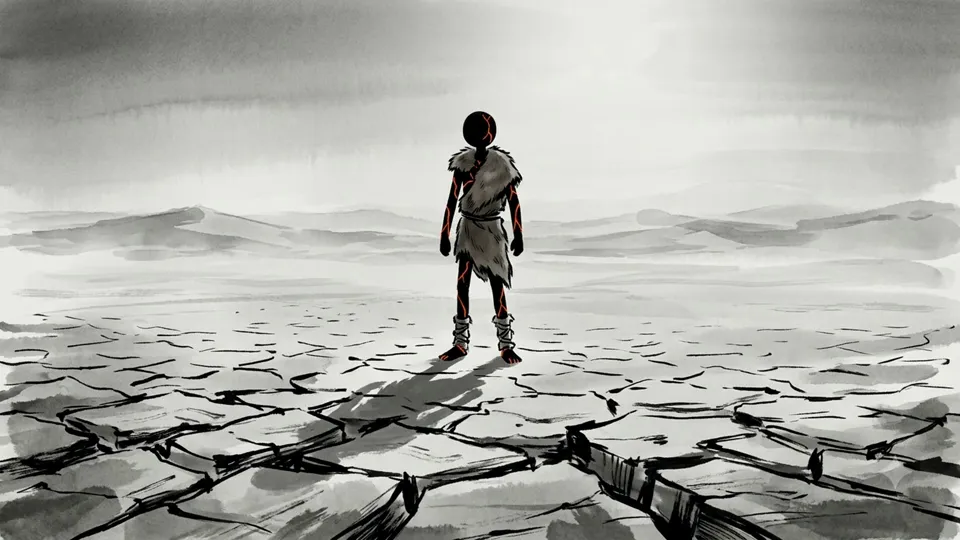
  1. Scene_001Picture this. You are standing barefoot on cracked desert sand.
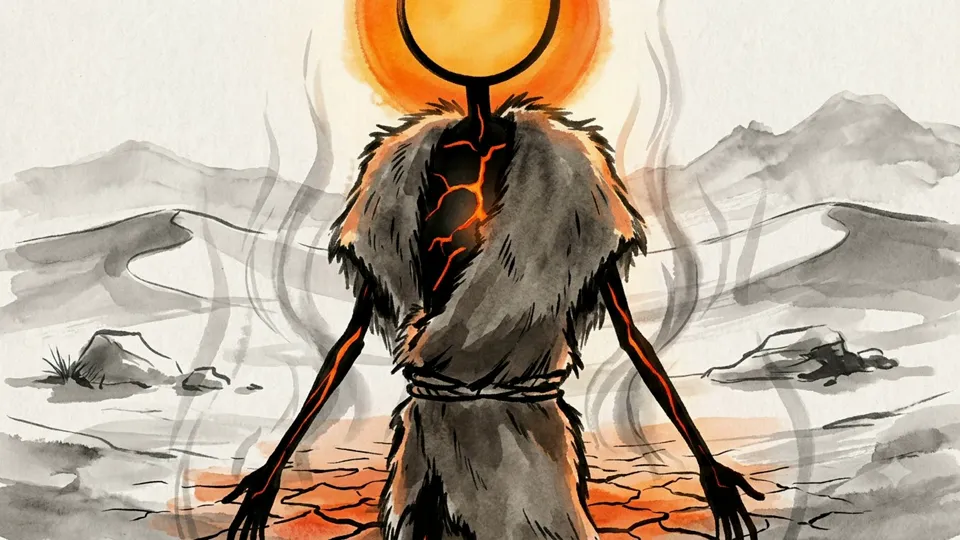
  2. Scene_002The air is fifty degrees Celsius, and it does not just feel hot, it feels hostile.
  3. Scene_003Every inhale burns the back of your throat.
  4. Scene_004The ground beneath you radiates heat like a stovetop left on for hours.
  5. Scene_005There is no shade for miles, no water in sight,
  6. Scene_006and the horizon shimmers like it is melting.
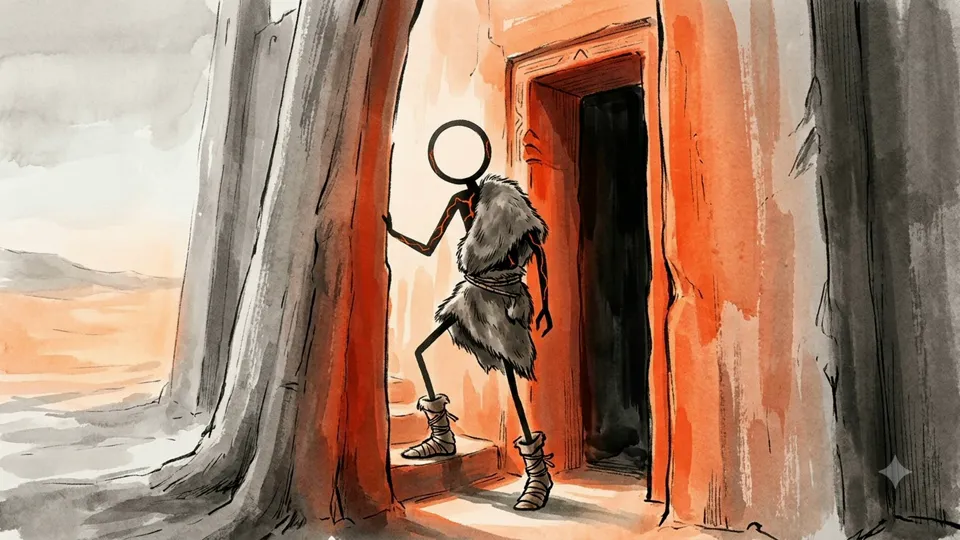
  7. Scene_007Now picture walking through a narrow doorway carved into a tower of sun-baked clay,
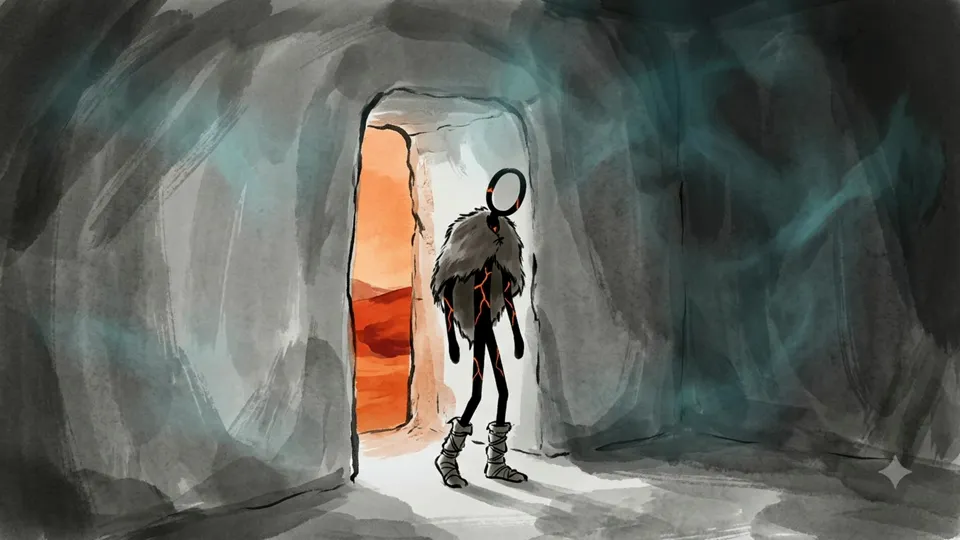
  8. Scene_008and within seconds the temperature around you drops to a crisp eighteen degrees Celsius.
  1. A lone figure stands barefoot on cracked desert groundScene_001

    Picture this. You are standing barefoot on cracked desert sand.

  2. The figure's head glows like the sun above a heat-cracked desertScene_002

    The air is fifty degrees Celsius, and it does not just feel hot, it feels hostile.

  3. Close-up of the figure, its throat traced in glowing redScene_003

    Every inhale burns the back of your throat.

  4. The figure stands on ground glowing red with heatScene_004

    The ground beneath you radiates heat like a stovetop left on for hours.

  5. The figure alone on an empty, shadeless plainScene_005

    There is no shade for miles, no water in sight,

  6. Heat haze makes the horizon ripple behind the figureScene_006

    and the horizon shimmers like it is melting.

  7. The figure steps through a doorway in a tall clay towerScene_007

    Now picture walking through a narrow doorway carved into a tower of sun-baked clay,

  8. Inside the tower, cool blue air surrounds the figureScene_008

    and within seconds the temperature around you drops to a crisp eighteen degrees Celsius.

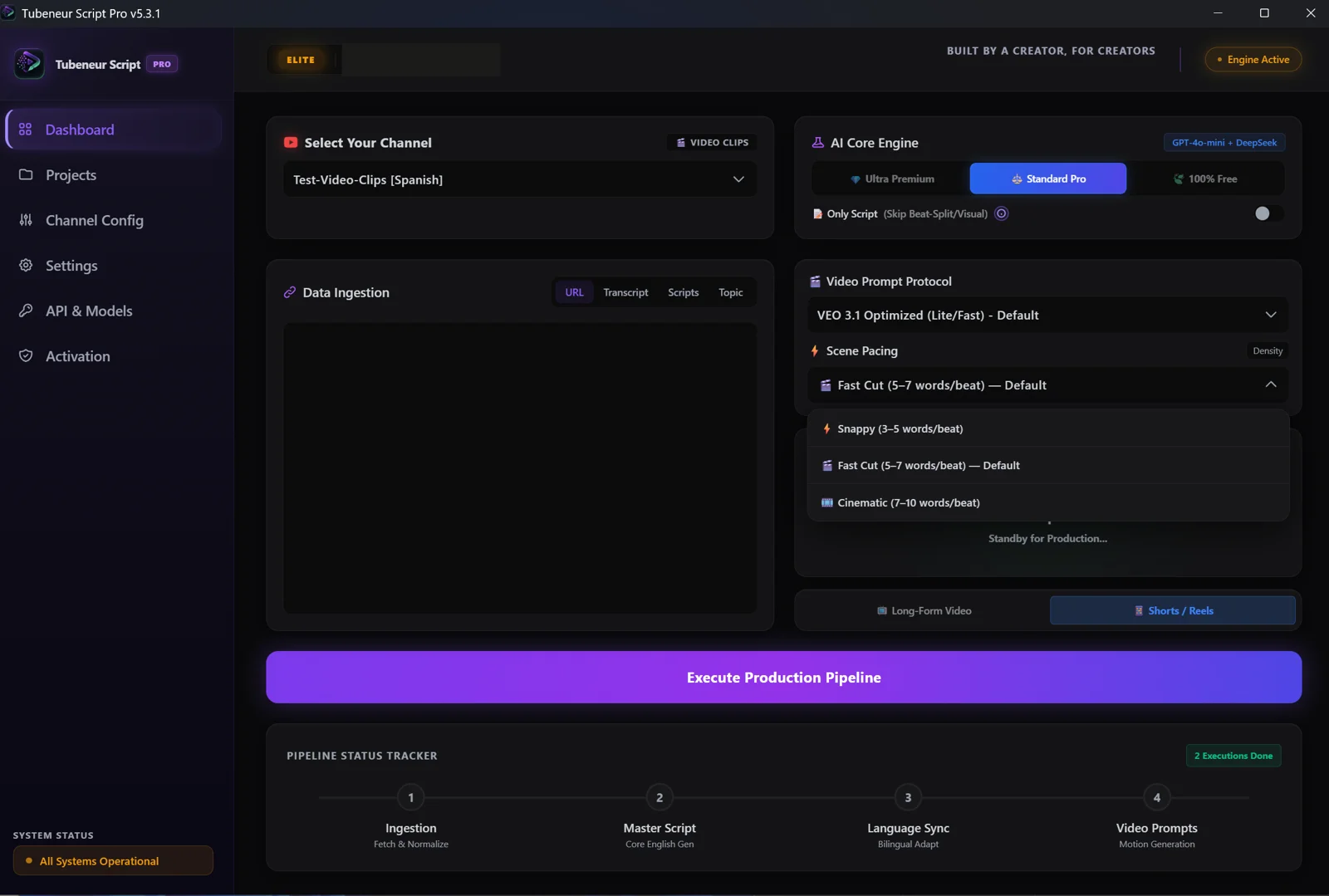
Choose how often the picture changes:

  • Snappy · 3–5 words
  • Fast Cut · 5–7 words (default)
  • Cinematic · 7–10 words

Four steps. That's the whole job.

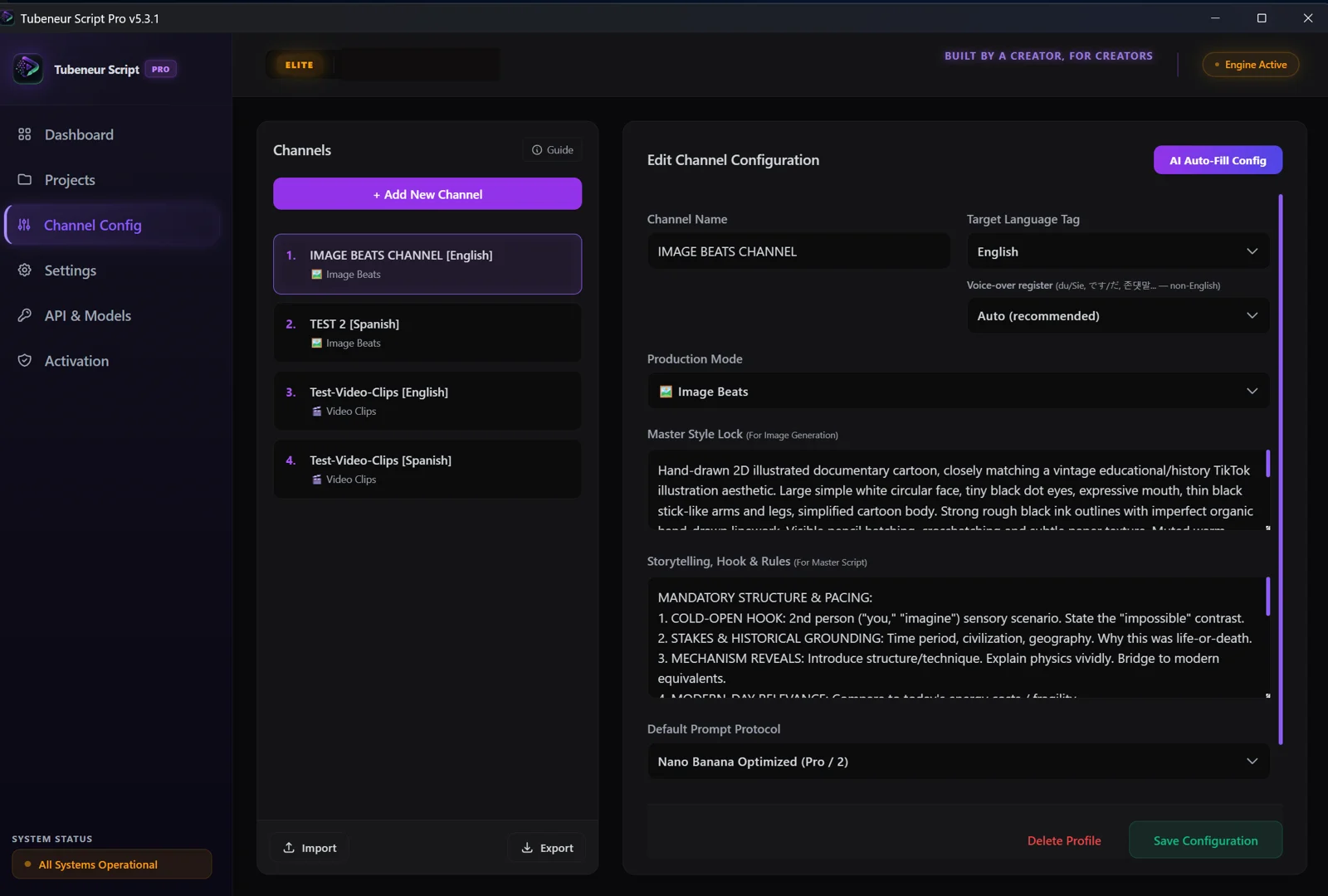
  1. Set up your channel once

    Describe your look and your storytelling rules — or let Auto-Fill draft a smart starting setup you then fine-tune Elite

    Script Pro's channel settings: channel name, language, production mode and the Master Style Lock
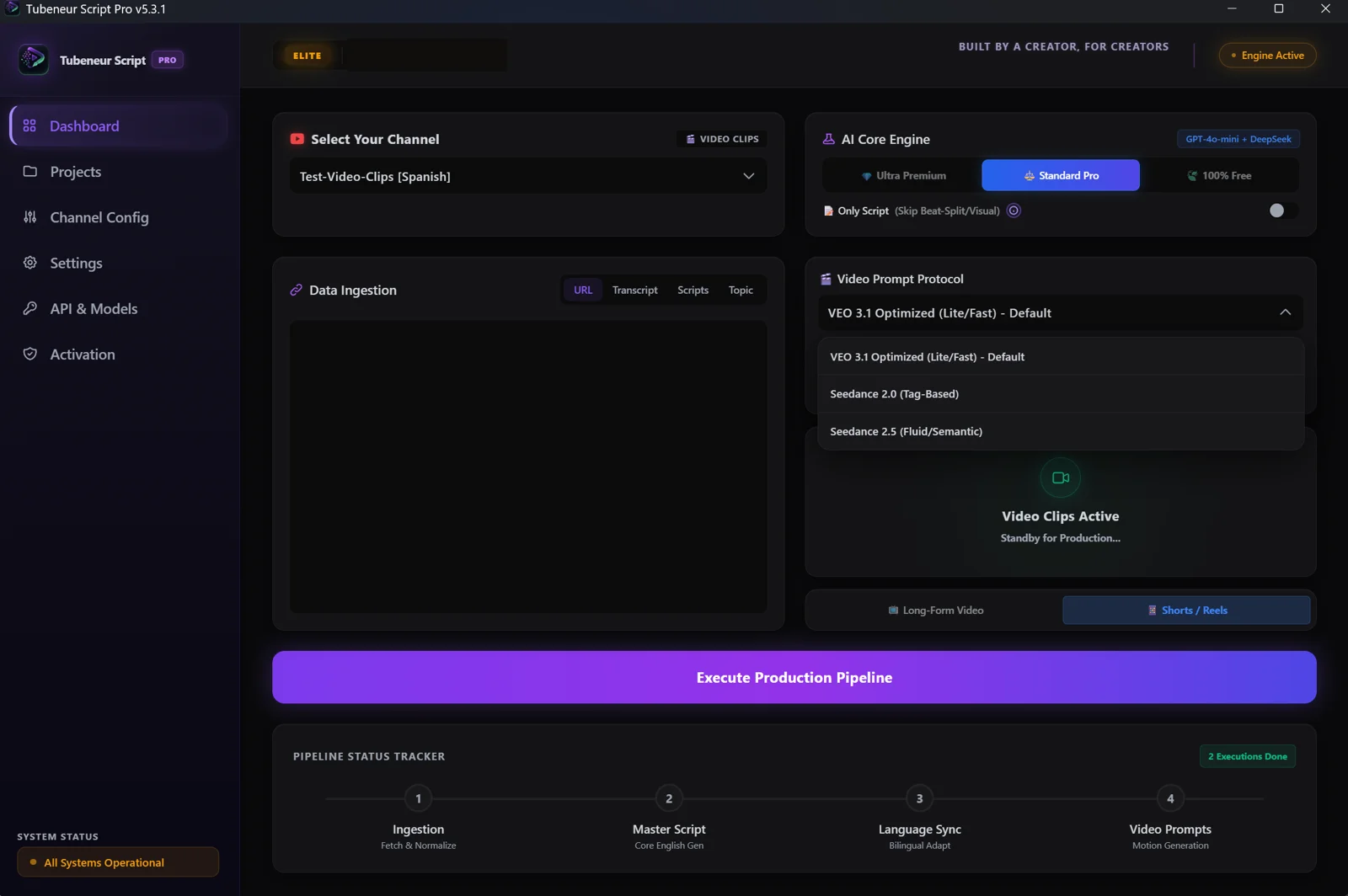
  2. Paste a link

    A YouTube video you like, a transcript or your own script. On Elite, just a topic works too.

    The dashboard's input panel with URL, Transcript, Scripts and Topic tabs
  3. Click Execute

    Script, voice-over script, storyboard and every prompt — in one run. Minutes, not hours.

    The scene pacing picker above the Execute Production Pipeline button
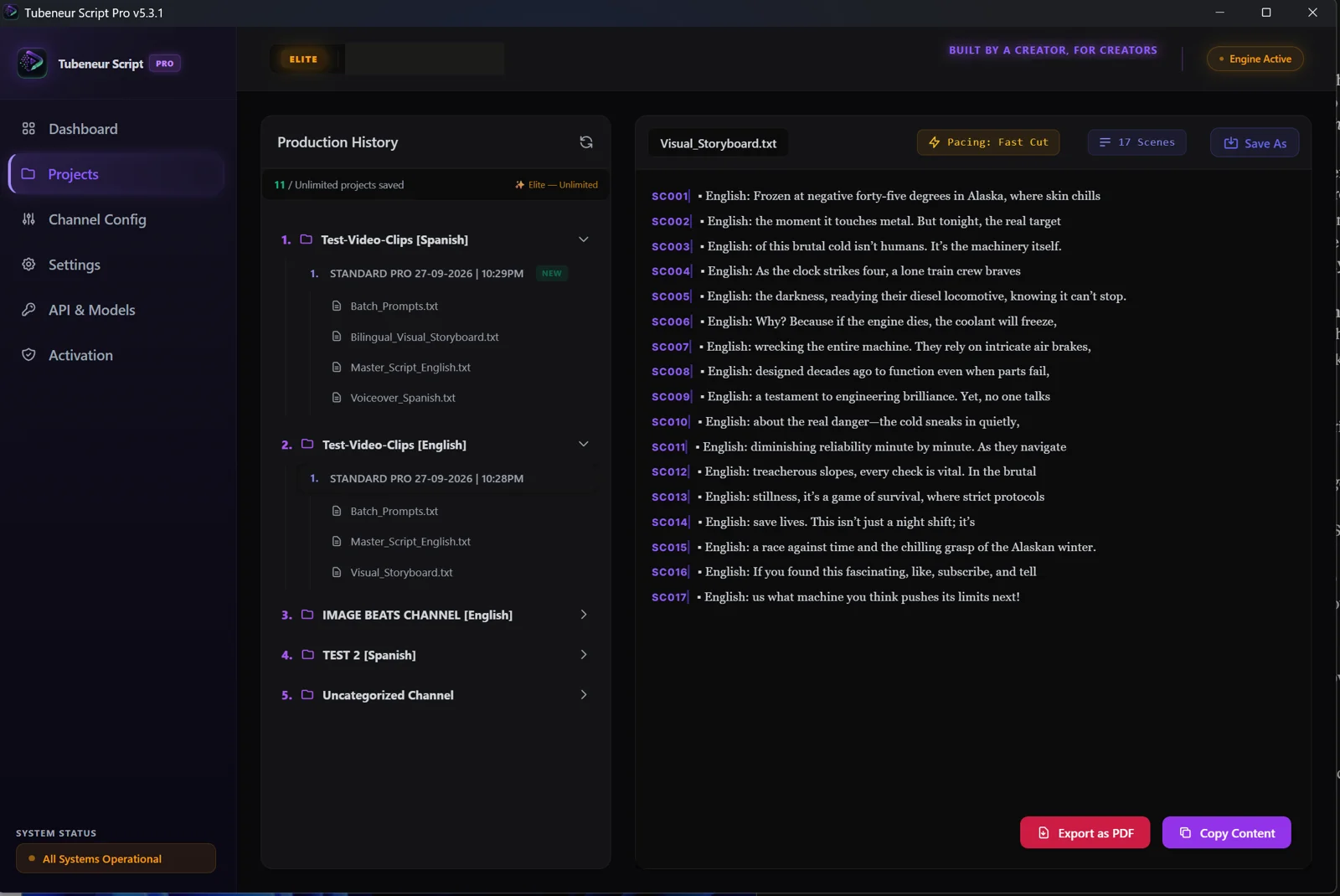
  4. Make it yours

    Generate the pictures or clips in your favourite tool, voice the script in ElevenLabs, drop them into your editor in storyboard order. Upload.

    A finished Visual_Storyboard.txt open in Script Pro, 17 numbered scenes
Full Demo · Script Pro 9:29

Watch the full 9-minute demo

New in 5.4.2 · Originality check

Your script. Not a copy.

Script Pro uses the source video for research only: the topic, the facts, the key points. Then it writes a new script in your channel's voice. Before the run finishes, every script written from a source video is checked phrase by phrase against the source transcript, and you see the result in the app.

Script Pro 5.4.2 Pipeline Status Tracker after a finished run: Link, Script (Ultra Premium), Originality (0.0% overlap), Number check, Beats, Image prompts and Save, all ticked
Real screenshot · Script Pro 5.4.2 · this run: 0.0% overlap with the source.

Fresh hook

The opening — the first 150 words — shares no 5-word phrase with the source, and it doesn't reuse the source's opening scene.

No copied lines

No 7-word phrase matches the source anywhere in the script. Short fact phrases — a name, a number, a date, a place — are allowed, and under 3% of the script may sit in phrases the source also uses.

You see the number

The overlap % shows in the pipeline tracker and in the message at the end of the run.

If a line is too close, Script Pro rewrites it automatically, up to two rounds. If it's still too close, the run finishes with a warning that lists the lines to check.

Real output

Open the folder. Everything's there.

Every run saves a folder of plain files you can open anywhere. Here's real, unedited output.

Sample channel: food-origins history, Spanish, 2D stick-figure style

Master_Script_English.txt Bonus

Imagine biting into a bitter, toxic almond that could actually poison you. This was the reality of the wild almond, which contains hydrogen cyanide. But thousands of years ago, a remarkable moment in history unfolded. Early farmers stumbled upon a rare mutation—one that yielded sweet, edible almonds. They recognized this extraordinary find and began cultivating it, transforming a poisonous risk into a culinary delight.

The English version of the same script, from the same run. Why you get it is below.

Bilingual_Visual_Storyboard.txt
Scene_001Imagine biting into a bitter, toxic almondImagina morder una almendra amarga y tóxica
Scene_002that could actually poison you.que podría realmente envenenarte.
Scene_003This was the reality of the wild almond,Esa era la realidad de la almendra silvestre,
Scene_004which contains hydrogen cyanide.que contiene cianuro de hidrógeno.

Edit in a language you don't speak — the English line is always beside it.

Voiceover_Spanish.txt

Imagina morder una almendra amarga y tóxica que podría realmente envenenarte. Esa era la realidad de la almendra silvestre, que contiene cianuro de hidrógeno. Pero hace miles de años, se desarrolló un momento notable en la historia. Los primeros agricultores se toparon con una mutación rara, una que producía almendras dulces y comestibles. Reconocieron este hallazgo extraordinario y comenzaron a cultivarlas, transformando un riesgo venenoso en una delicia culinaria.

Paste straight into ElevenLabs.

Batch_Prompts.txt

Scene_001

A stick figure character is shown biting into a large, cartoonish almond, with a disgusted expression; the almond is depicted with exaggerated features, in a simple, muted landscape.

Your Master Style Lock — added to every prompt

2D digital animation with simple stick figure characters and large, expressive facial features. The line work is clean and smooth, featuring solid black outlines with no texturing. The colour palette is muted yet vibrant, with earthy greens, soft blues, light grays, and pops of bright red and orange. Lighting and shading are minimal, giving the scenes a flat, cartoonish feel. Backgrounds are simplified with basic linear perspective, focusing on essential elements and open spaces. Composition often centers around the character, providing a sense of narrative focus and humor within each scene. The textures are mostly flat, avoiding gradients and maintaining a clean, crisp look throughout.

The storyboard also exports as a PDF in all 75 languages, with the right font picked automatically.

Works with any editor you already use

CapCut, Premiere, DaVinci. VisualBeats, our own editor, is an optional add-on with a free plan: it puts every picture on the word it belongs to, then adds captions, motion and sound — on your own PC.

Explore VisualBeats

Your channel

Set it up once. It sounds and looks like you — every video.

Master Style Lock

Describe your look once — the character, the colours, the line style. It's added to the end of every picture prompt, so your character looks the same in scene 1 and scene 400.

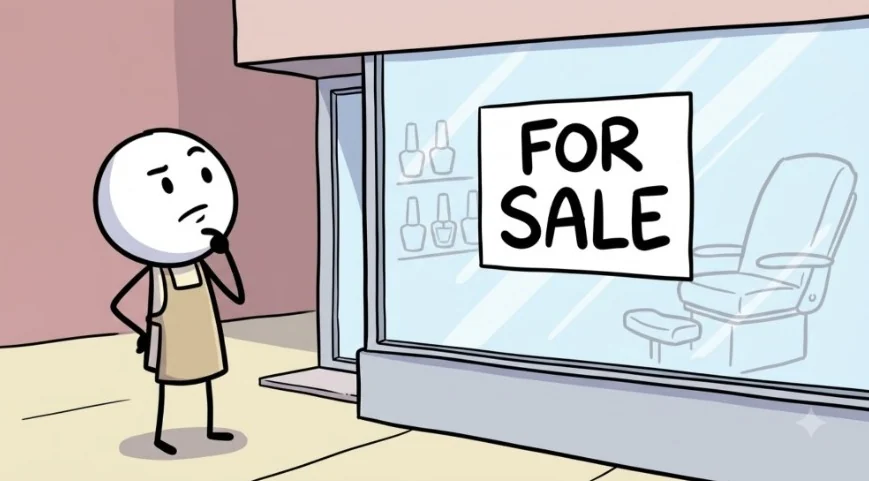
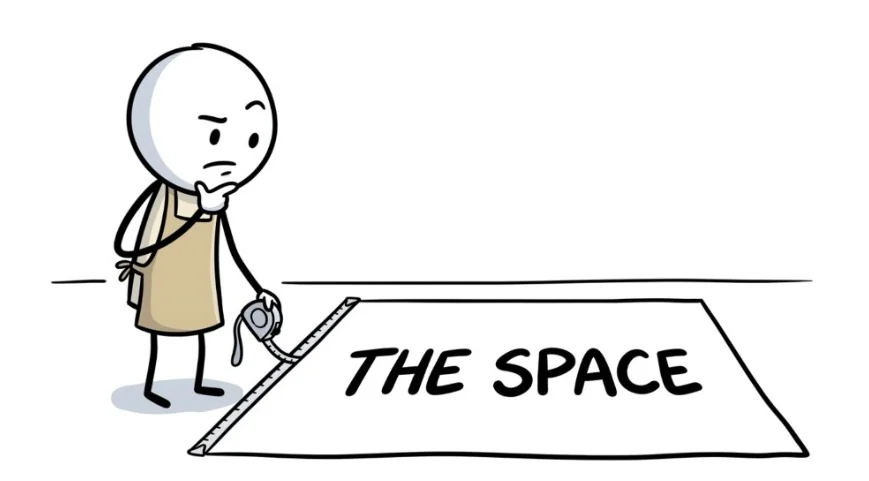
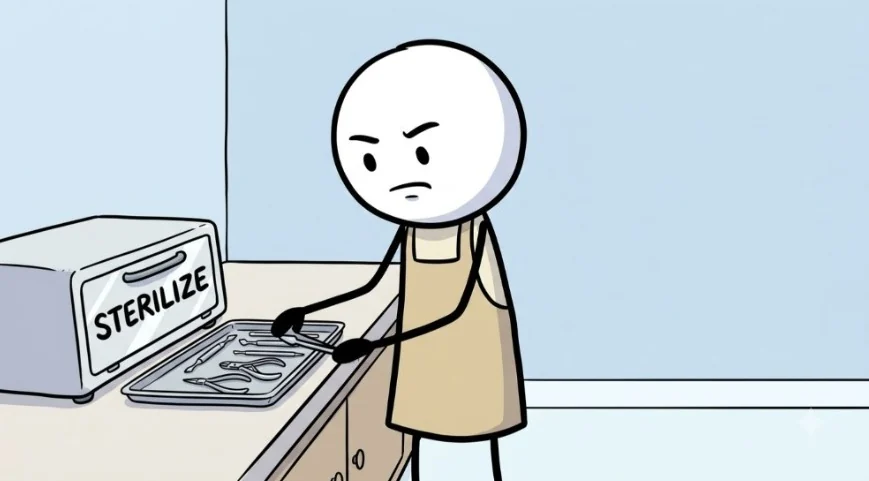
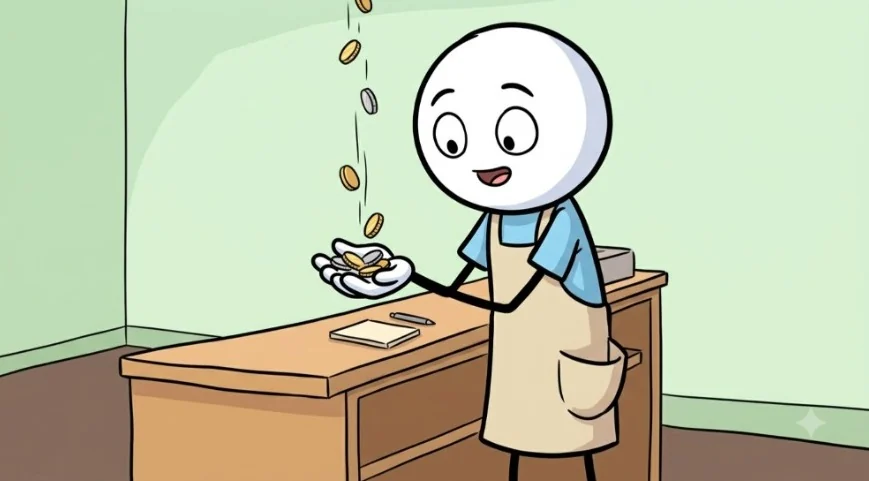
The stickman in a beige apron looks thoughtfully at a closed nail salon with a For Sale sign in the window The same stickman holds a tape measure at the edge of an empty floor area marked The Space The same stickman, frowning, lays metal tools on a tray beside a box marked Sterilize The same stickman smiles as coins fall into an open hand at a wooden counter

Images made in Google Flow from Script Pro prompts.

From a sample channel config

Hand-drawn cartoon doodle explainer style, bold smooth black ink outlines, flat clean colours with soft simple shading… The main character is a stick figure with a large round plain white head, small black dot eyes, thin black stick arms and legs, wearing a beige apron over a light shirt… Character names are never written in the picture.

Storytelling, Hook & Rules

Write how your channel tells a story — the hook, the structure, the tone, how numbers are read. Every script follows your rules, so each channel keeps its own voice.

Storytelling, Hook & Rules
  1. COLD-OPEN HOOK: 2nd person ("you," "imagine") sensory scenario. State the "impossible" contrast.
  2. STAKES & HISTORICAL GROUNDING: Time period, civilization, geography. Why this was life-or-death.
  3. MECHANISM REVEALS: Introduce structure/technique. Explain physics vividly.
  4. MODERN-DAY RELEVANCE
  5. CLOSE: One genuine discussion question, natural like/subscribe, warm sign-off.
  6. All numbers/measurements written in spoken form (e.g., "fifty degrees Celsius" not "50°C").

From a sample channel config

  • Voice-over register du or Sie, です or だ — set per channel.
  • Prompt protocol Nano Banana, GPT Image, VEO or Seedance — per channel.
  • Import / export Save channel configs as files and load them again.

Elite

Magic Auto-Fill Wizard

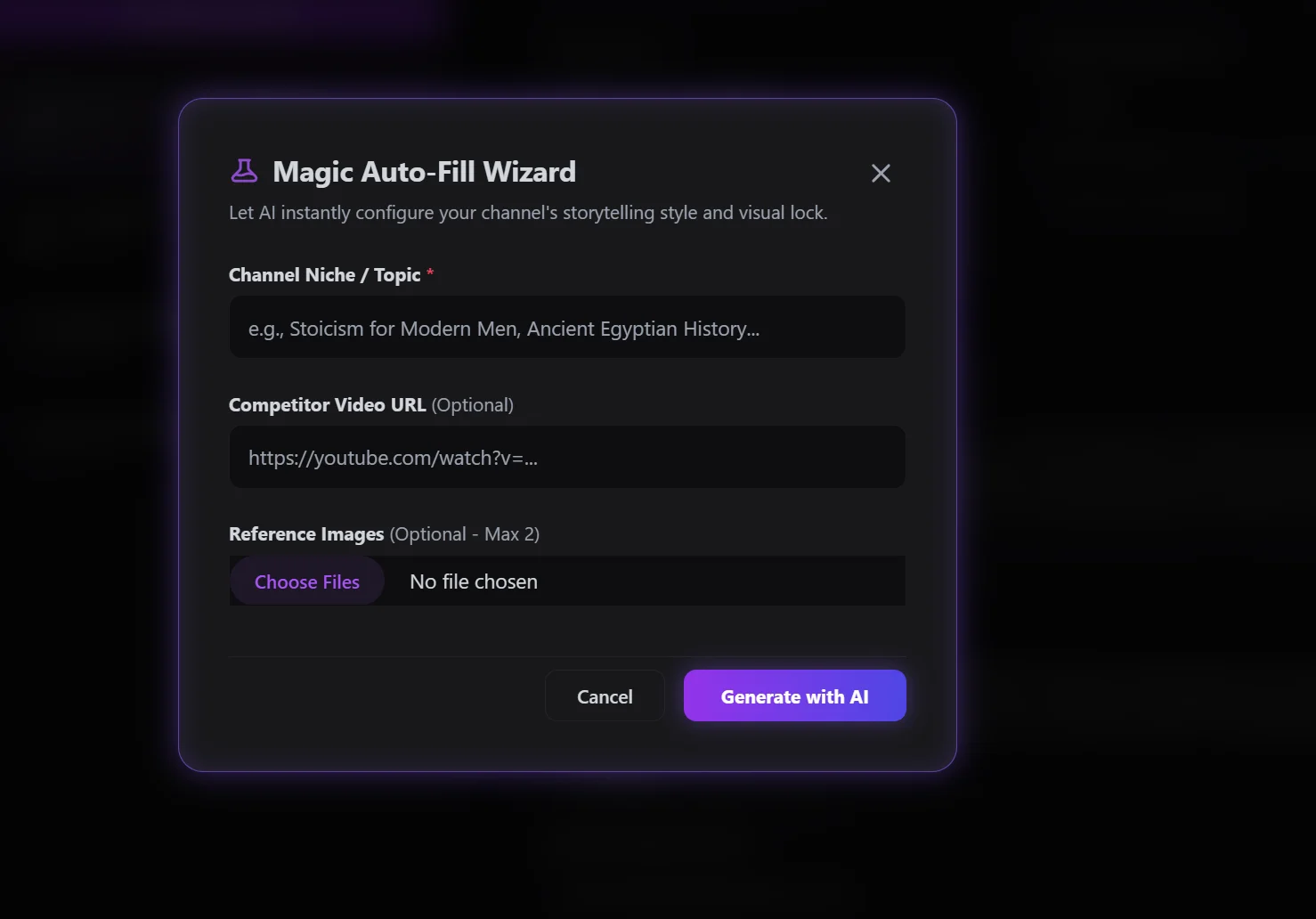
Type your niche — and, if you like, add a reference video and up to two reference pictures. Auto-Fill drafts a smart starting setup — your Master Style Lock and storytelling rules — that you then fine-tune. The references only steer that first draft; fine-tuning is where the channel becomes yours, and where the best results come from.

Elite only. On Standard you write your channel config yourself — the in-app Guide shows what goes where.

See Elite
The Magic Auto-Fill Wizard: channel niche, an optional competitor video URL and up to two reference images

Consistent characters

Same character, every scene.

Set your channel's character once. Script Pro writes it into every image prompt, so your visuals stay consistent from the first scene to the last.

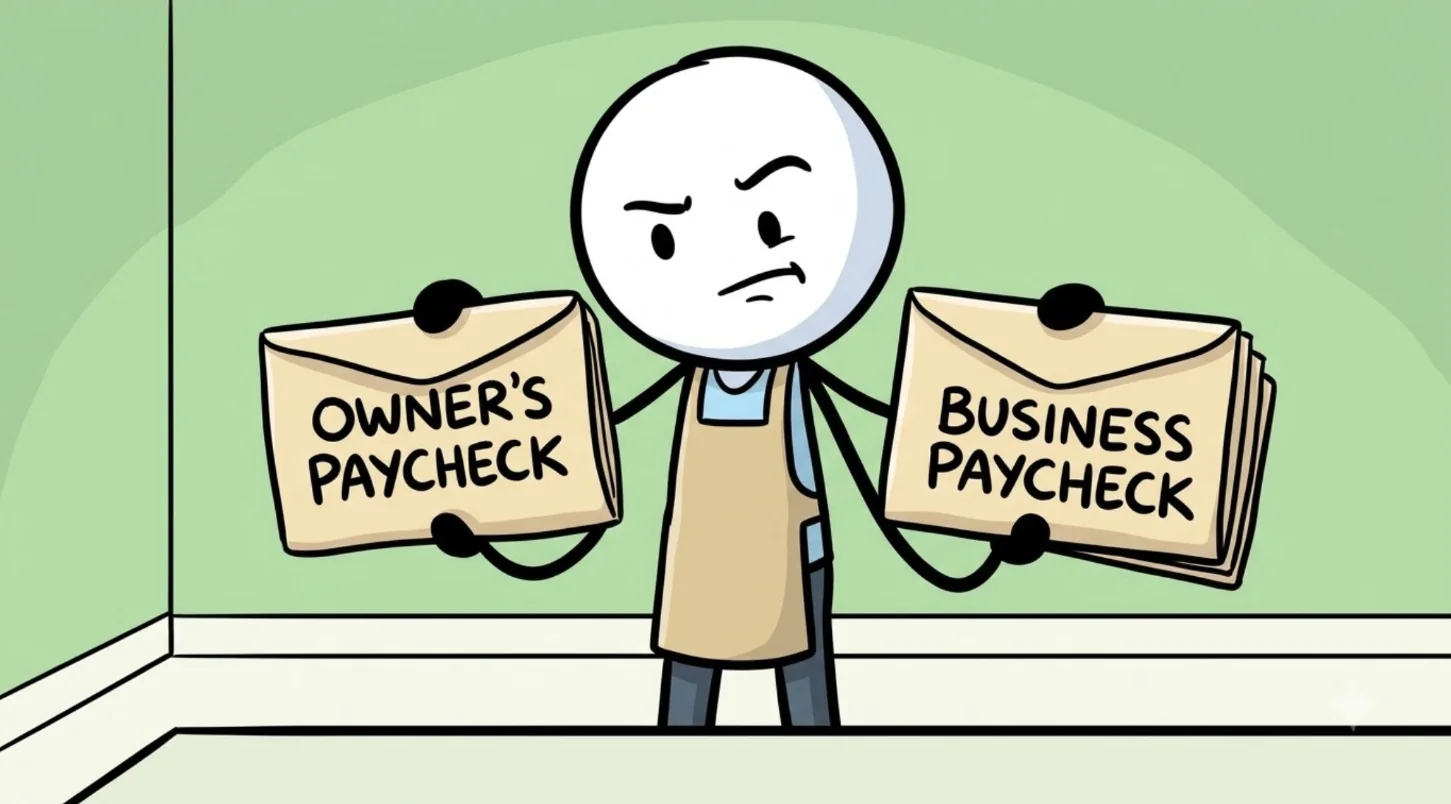
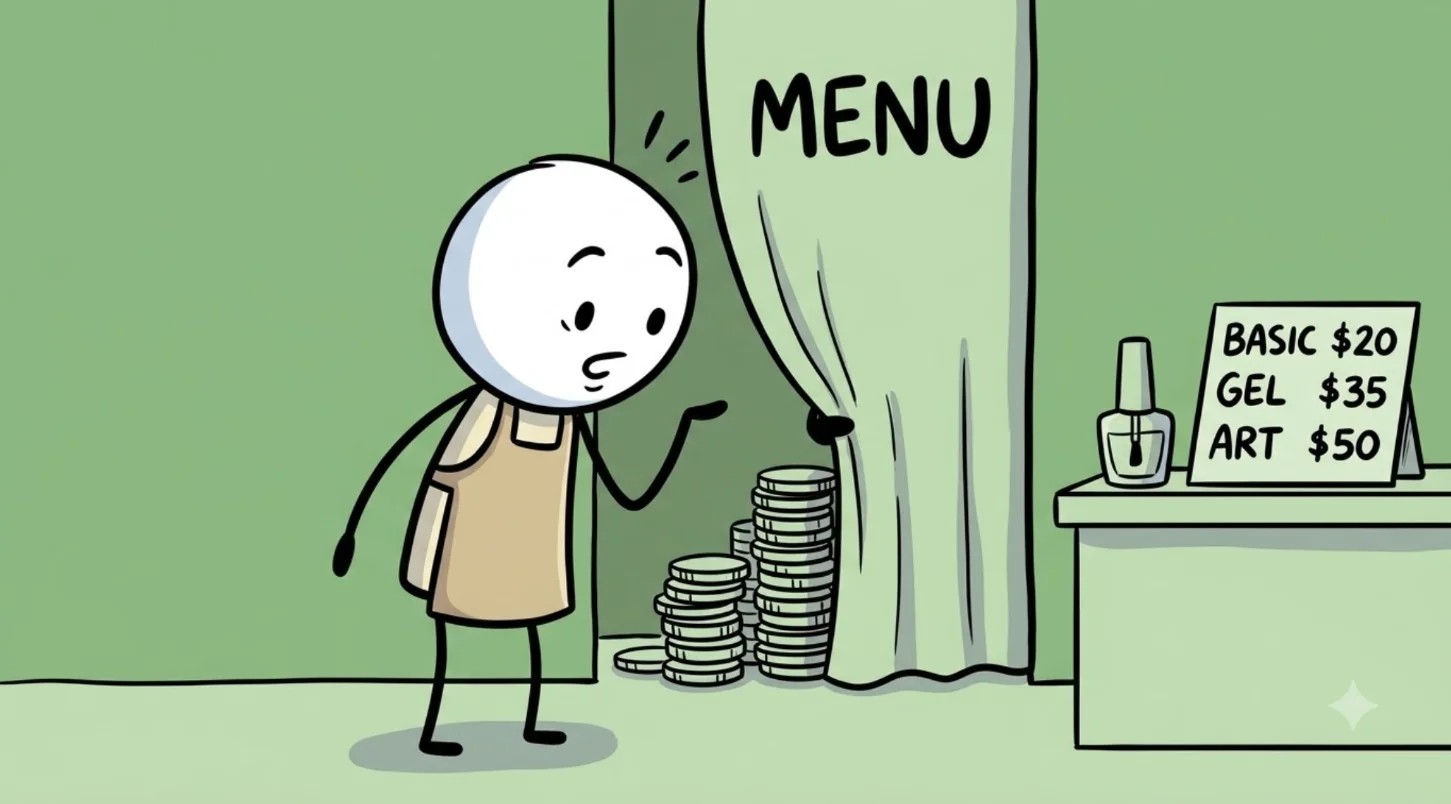
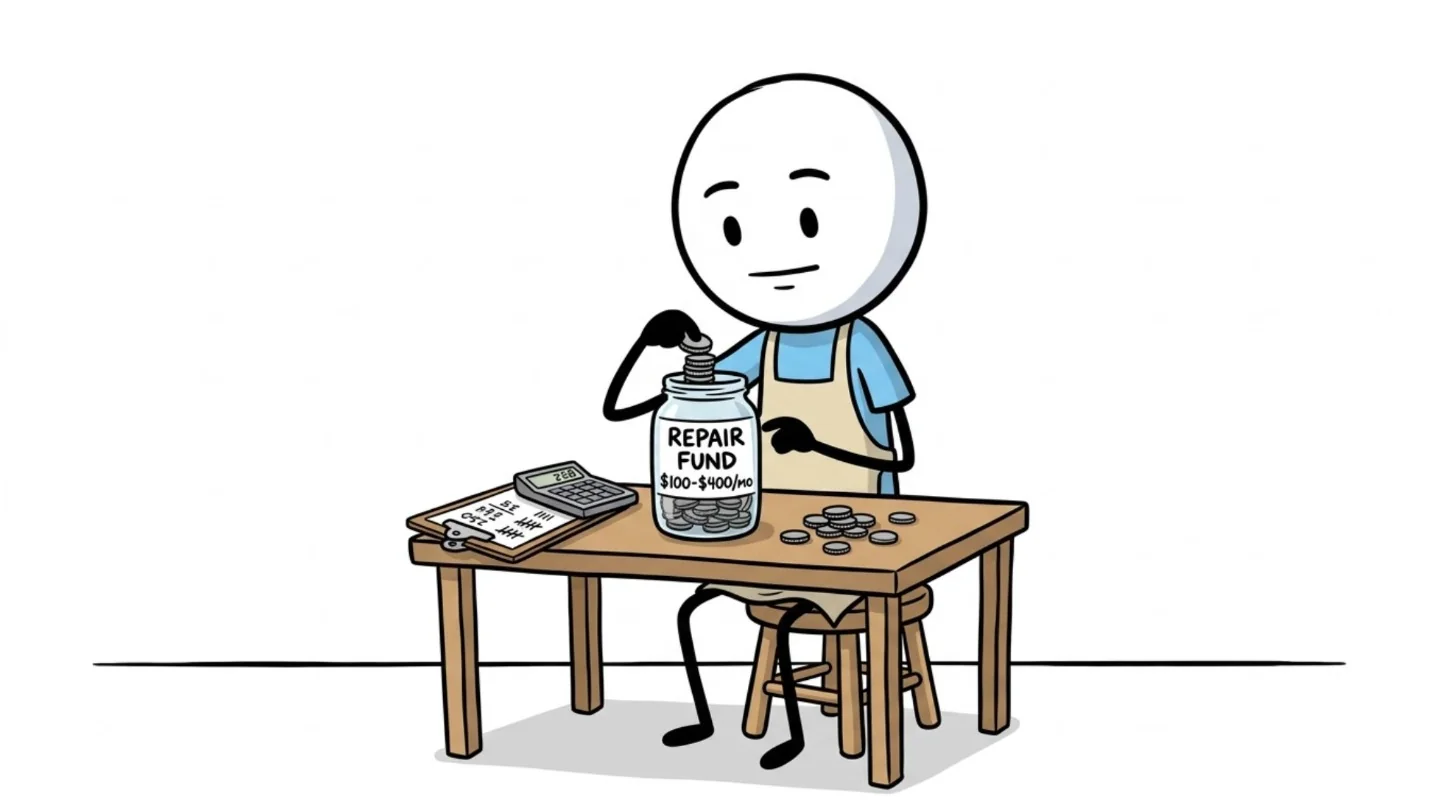
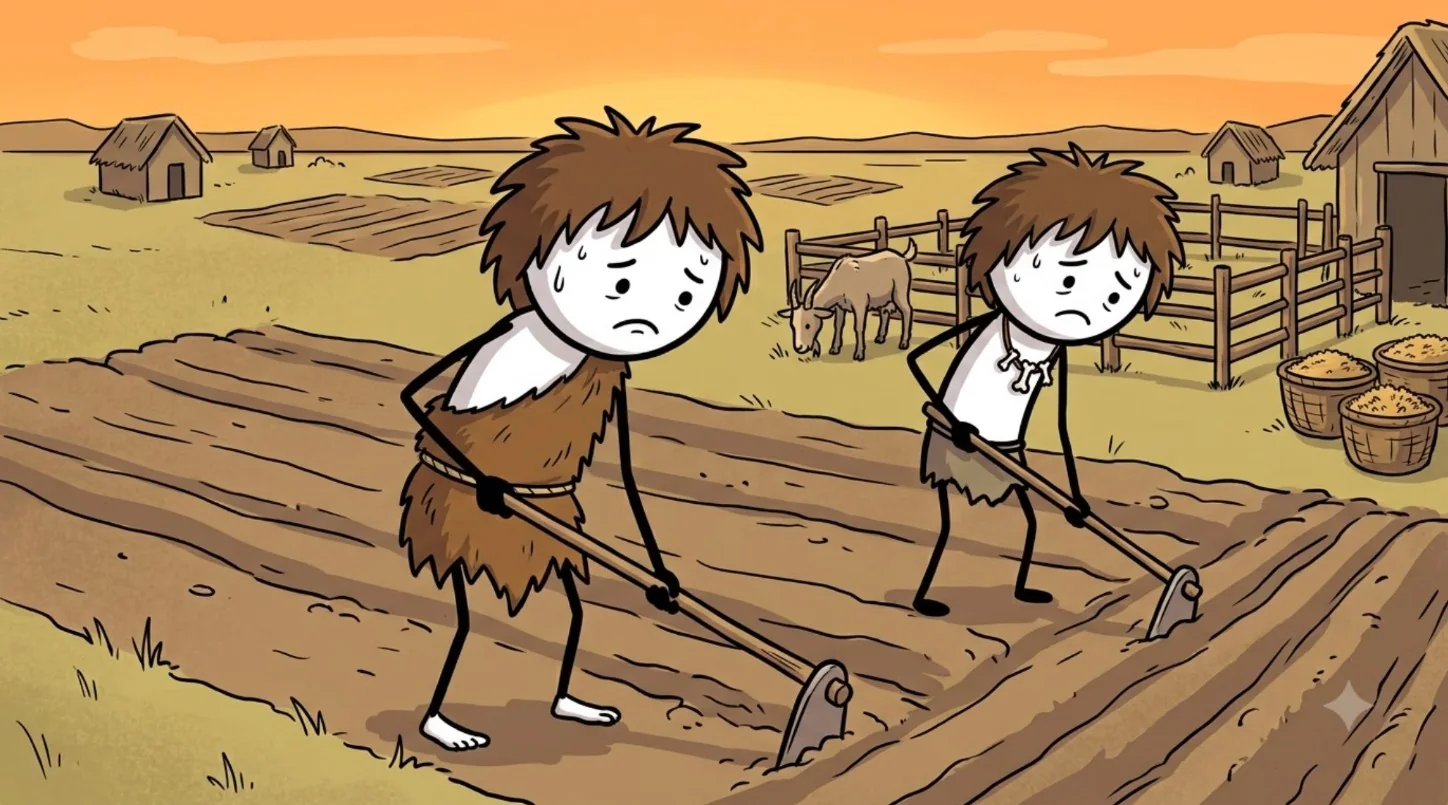
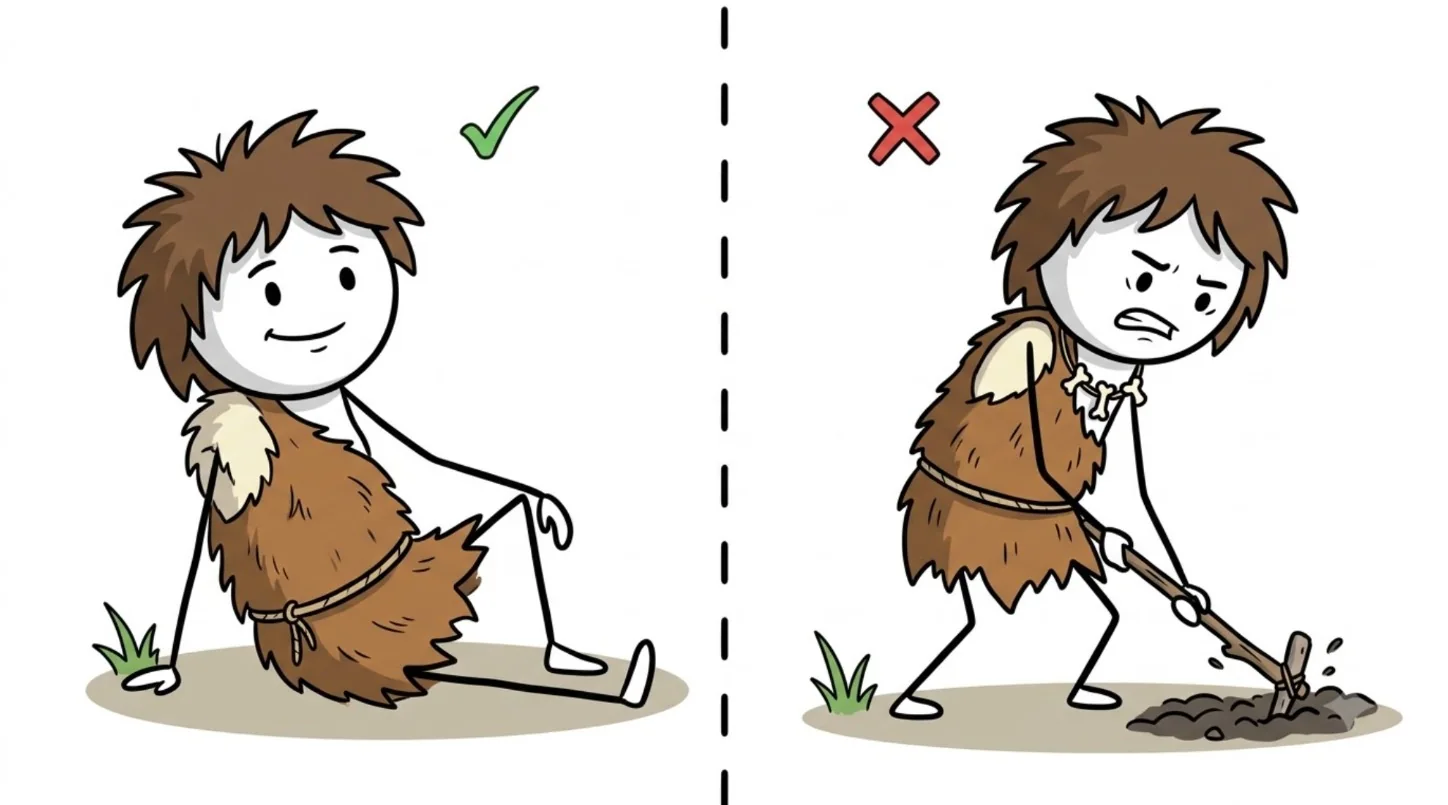
Finance channel: the stickman shop owner in an apron holds up two envelopes, Owner's Paycheck and Business Paycheck The same shop owner peeks behind a curtain marked Menu at stacks of coins, next to a nail-salon price sign The same shop owner sits at a table dropping coins into a jar labelled Repair Fund History channel: two shaggy-haired cavemen in fur tunics hoe a field at sunset, a goat in a pen behind them The same caveman in a split screen: resting on the ground under a green tick, digging with a hoe under a red cross The same caveman stands in a dry desert with his arms crossed, beside a small stickman sitting on a rock

Images made in Google Flow from Script Pro prompts.

Global reach

One story. Three channels. Three languages.

Same topic, run on an English, a Spanish and a Russian channel — each with its own art style from its own channel config.

  • EN · English channel

  • ES · Spanish channel

  • RU · Russian channel

Video Clips too:

  • EN · English

  • ES · Spanish

The same documentary script in English and Spanish.

Follow the market, not a feature list

Pick from 75 languages — every language ElevenLabs can voice — with the big markets listed first: English, German, Dutch, Norwegian, Swedish, French, Japanese, Korean, Chinese and Thai. Anything else, type it in yourself.

A script your voice tool can read

Set a formal or casual register per channel — du or Sie, です・ます or だ・である. Numbers are written the way they're spoken — in the voice-over and in the English script — so ElevenLabs or any voice tool reads them the way a narrator would.

A bilingual storyboard to edit from

Every scene carries the English line next to the native line, so you always know which shot you're on — even in a script you can't read.

Run end to end and checked scene by scene, on all three AI engines

  • German
  • Norwegian
  • Japanese
  • Korean
  • Chinese
  • Thai
  • Spanish
  • Russian
  • Arabic

Every other language runs through the same pipeline and the same automated font and length checks, but hasn't had a full recorded run yet. We'd rather tell you which nine we actually tested than claim all 75.

Plan comparison

Choose your creative depth

Feature comparison between the Standard and Elite plans
Feature Standard Elite
Channel Profiles 1 profile (lifetime) Unlimited profiles
Runs per 30 days 15 per 30 days Up to 1,000 per 30 days (fair use)
Languages English + 1 other language (lifetime) Unlimited — all 75, or any you type in
Script Length Up to 15 minutes Up to 60 minutes
Project Folders 10 Unlimited folders
Data Input YouTube URL · Transcript · Your own script The same, plus a topic idea on its own
Production Modes Image Beats + Video Clips + Only Script Image Beats + Video Clips + Only Script
Output Files Master Script + Batch Prompts (always) + Voiceover-Ready Script + Bilingual Storyboard (in your other language — English + 1 other language, lifetime) Master Script + Batch Prompts + Voiceover-Ready Script + Bilingual Storyboard (any language)
Flow Helper · for Google Flow Flow batch files, ready to paste into Flow yourself Included — plus the same batch files
Magic Auto-Fill · a smart starting setup you fine-tune Not included Included
AI Model Version Override Locked Included
AI Engine · Free Mode Gemini Gemini
AI Engine · Standard Pro GPT-4o-mini (+ DeepSeek for translated channels) GPT-4o-mini (+ DeepSeek for translated channels)
AI Engine · Ultra Premium Locked Unlocked — your own Claude key (+ DeepSeek for translated channels)
Add-Ons +5 runs for $9₹899, valid for 30 days from purchase (Standard; buy it in the app) · +1 language slot $25₹2,499 · final once added Not needed — up to 1,000 runs per 30 days and all 75 languages included

Your first run, start to finish

  1. Download and install Script Pro on Windows 10 or 11.

  2. Activate: paste your license key in Script Pro → Activation and click Verify & Activate License.

  3. A first-start guide opens: choose Start free with Google Gemini (2 minutes), create a free key in Google AI Studio, paste it and click Test key. A key that works is saved, and Free Mode is selected.

  4. Paste a YouTube link, a transcript or your own script — or just a topic on Elite — and click Execute Production Pipeline. Or let the guide run a short sample first.

Want higher quality later? Add your own OpenAI key (Standard Pro) or, on Elite, your own Claude key (Ultra Premium). A DeepSeek key is needed only for channels with a second language. Step by step: Set up in 2 minutes.

FAQ

Questions, answered.

What does Script Pro actually give me?

Text files, saved to a folder per run: an English master script, a voice-over-ready script in your channel's language, a visual storyboard split into numbered scenes, and a batch file of every visual prompt ready to paste into your generator. The storyboard also exports as a PDF. Script Pro writes the text and the prompts — it doesn't generate the images, video or voice itself.

Does Flow Helper run Google Flow for me?

No. Flow Helper (included with Elite) puts each batch into Flow's agent box and checks the results; you press Send for every batch. It never presses Send for you, so you use Flow the normal way, in your own Google account. How Flow Helper works

Will YouTube see it as reused content?

Script Pro writes a new script from the source's topic and facts — it doesn't copy its sentences — and every script written from a source video gets an originality check against the source. No tool can promise how YouTube will judge a channel: YouTube also looks at your visuals, voice and the value you add. Script Pro's workflow is built for that: your own script, your own pictures, your own voice.

What kinds of videos can I make with it?

Faceless formats where a voice-over tells the story and pictures or clips show it: Image Beats explainers (history, food origins, psychology, science, "what if"), Video Clips documentaries (engineering, extreme jobs and climates, machines, nature), and vertical Shorts and Reels. You set the look and the storytelling rules per channel, so the same app runs very different channels.

Does Script Pro make the pictures, clips or voice?

No — it writes everything before them: the script, the voice-over script, the storyboard and a prompt for every scene, written for the generator you use. You generate the pictures or clips (Nano Banana, GPT Image, VEO, Seedance…) and the voice (ElevenLabs or any TTS) with your own accounts.

Do I need editing skills?

Basic ones. You place each picture or clip under its voice-over line in storyboard order, in any editor — CapCut, Premiere Pro, DaVinci Resolve. Script Pro handles everything before that.

Can I make Shorts and Reels?

Yes. Switch the dashboard to Shorts / Reels and you get a short-form script and prompts for YouTube Shorts, TikTok, Instagram Reels and Facebook.

Can I get just the script, without the storyboard and prompts?

Yes. Turn on Only Script and the run stops after the script, so it's faster and uses less API credit. You still get the English master script and the voice-over-ready script in your channel's language. An Only Script run uses one of your runs, the same as a full run.

Can I really publish in a language I don't speak?

Yes, and it's the reason a lot of people buy it. Set the channel's language, and every run gives you a voice-over-ready script in that language, alongside the English master script. Numbers are written the way they're spoken — in the voice-over and in the English script — so a TTS voice reads them naturally. The storyboard is bilingual, so while you edit you're reading the English line and placing the shot, even though the audio is in the target language. One honest tip: for a language you can't read, have a native speaker check your first script before you publish — AI translation is strong, but it isn't infallible.

Which languages can I use?

Seventy-five are built into the picker — every language ElevenLabs can voice, with English, German, Dutch, Norwegian, Swedish, French, Japanese, Korean, Chinese and Thai listed first — and you can type in any other language yourself. Standard includes English + 1 other language (lifetime), and you can add another language slot for $25₹2,499 whenever you need one. Elite has no language cap. Script Pro writes the text; how a language sounds depends on the voice tool you paste it into, and ElevenLabs' newest model (Eleven v3) covers the widest range.

Do I need my own AI API key?

Yes. Script Pro uses your own AI keys — you pay the AI provider directly, at their prices, with no markup from us and no AI subscription tied to the app. A free Gemini option is included: Free Mode needs only a free Google Gemini key. Standard Pro uses your own OpenAI key, and Ultra Premium (Elite) your own Claude key; a DeepSeek key is needed only when your channel has a second language, for the translation. Your keys are encrypted on your own PC with a key derived from your hardware, so they never reach us and won't decrypt on another machine.

Set up in 2 minutes: get the free Gemini key and run your first video, step by step.

How do I get a free Gemini key?

Script Pro's first-start guide walks you through it right after activation (you can open it again in Settings). Sign in to Google AI Studio with your Google account, open the API keys page (aistudio.google.com/apikey), click Create API key and copy it. A new account may already show a key: you can copy that one. Paste it in the guide (or later in API & Models, Google Gemini API Key) and click Test key: a key that works is saved automatically. Then pick 100% Free (Free Mode); the guide does this for you. Google's free tier has usage limits, so very long or very frequent runs may be slower; you can add a paid key later if you need more. The Gemini API isn't offered in every country: see Google's list.

What counts as a run?

One run = one full video project: script, scene-by-scene storyboard and every image/clip prompt, whatever the video length. A 30-minute script is 1 run, same as a Short. Standard: 15 runs per 30 days (scripts up to 15 min). Elite: up to 1,000 runs per 30 days (scripts up to 60 min). Magic Auto-Fill doesn't use a run, and Deep Analysis doesn't add an extra one. Cancelled or failed runs: see What happens if I hit my run limit?

Does Script Pro use credits?

No credits from us. Script Pro runs on your own AI API key (start free with Google Gemini), so you pay the AI provider directly, with no markup.

What will the AI usage cost me?

That depends on the engine and the script length, and it goes to the provider rather than to us. As a reference point from one of our own tests: a 30-minute source video turned into a 25-minute script in another language, 453 scenes, on Ultra Premium used about $2.90 of API credit. Free Mode, on Gemini's free tier, can cost nothing at all. A live token tracker in the app shows the running total.

Do I own the scripts I create?

Yes. Every master script, voice-over script, storyboard and prompt set is yours — Tubeneur claims no rights over your output, and none of it is uploaded to us. The app builds an original script from your channel's rules and the source's theme; it doesn't copy the source. Every script written from a source video also goes through the originality check.

Is this a subscription or one-time payment?

One-time. $69 for Standard, $179 for Elite (founding prices until 30 November 2026)₹6,999 for Standard, ₹17,999 for Elite (founding prices until 30 November 2026)$89 for Standard, $229 for Elite₹8,999 for Standard, ₹22,999 for Elite — lifetime access, no monthly bills, nothing to cancel. The price already includes taxes — nothing is added at checkout.

My card was declined. What can I do?

Many Indian bank cards block international payments. Pay with UPI on the checkout page, or try another card. Still stuck? Email support@tubeneur.com and we'll help.

What happens if I hit my run limit?

Standard includes 15 runs per 30 days. If a run is cancelled or fails before it saves any files, the app gives that run back automatically, up to 5 times per 30 days — on Standard and Elite. If you use them up before your 30 days are over, add +5 runs for $9₹899, valid for 30 days from purchase (Standard; buy it in the app), or move to Elite for up to 1,000 runs per 30 days (fair use).

Can I change plans later?

Yes. Start on Standard and move up to Elite when you need up to 1,000 runs per 30 days (fair use), unlimited languages and unlimited channel profiles. If you only need a little more headroom on Standard, the add-ons let you top up without upgrading: +5 runs for $9₹899, valid for 30 days from purchase (Standard; buy it in the app), and +1 language slot for $25₹2,499. Add-ons are for Standard licenses and are bought inside Script Pro. Elite needs none.

What do I need to run it?

Windows 10 or 11. Script Pro is a desktop app — there is no Mac, web or mobile version. Lifetime updates are included and install themselves: each one is cryptographically signed and rolls back automatically if anything fails, and your projects and license are never touched.

Ready when you are.

See plans and prices

One-time payment · Taxes included · 14-day money-back guarantee · Lifetime updates